Pointers In A Week

POINTERS. There is a general comment that pointers are difficult, but the truth is that they are only confusing.
Over the next seven days, you will learn about pointers (in C language) in a straightforward and easy-to-understand manner.
During the next seven days, we’ll learn what pointers are and how and when to use them in our code.
What are Pointers?
Every byte in RAM has a unique address known as a byte number. A pointer, also known as a pointer variable, is a variable that stores the address of another variable.
The value of a pointer = the address of the variable it points to.
Keep it in mind as the door numbers of various apartments. These numbers are unique to each flat in that building.
Pointers Example:
int main(){
  int a=100;
  int *b=&a;
}
Here, a → an integer variable and
b → an integer pointer variable
The “ & “ operator (yes, & is an operator in C programming language) is used to get the address of a.
Things to know before we dive deep into pointers :
Size of an int → 2 Bytes / 4 Bytes (in this blog we will be taking the size of int as 2 Bytes)
Size of char → 1 Byte
Size of float → 4 Bytes
Syntax :
datatype * variable_name;
Integer Pointer :
int a=10;
int * b=&a;
In the above example, b points to a & the size of a is 2 Bytes. So, b can point to two bytes at a time But when printing we will only get the first address.
i.e:- if starting address of a → 500 then, b actually points to 500 & 501.
We can prove this by doing, b+1
b+1 gives 502 & not 501 as b contains both 500 & 501.
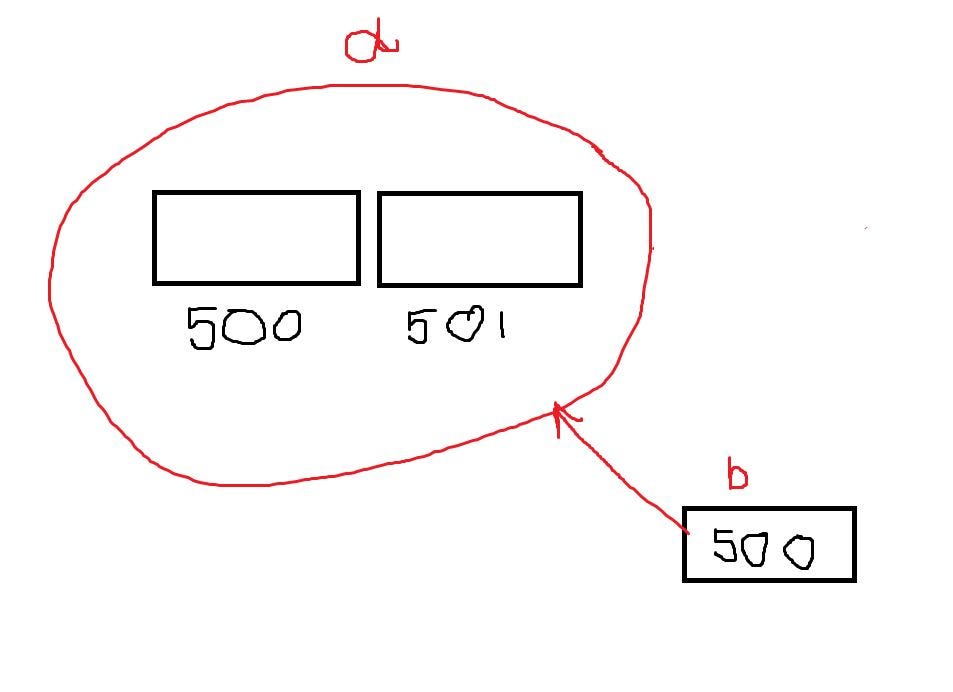
In the above image the pointer variable “b” actually has the addresses 500 & 501 but b → gives only 500(i.e:- the starting/first address)
b+1 → gives 502.
Character Pointer :
char c='a';
char *cp= &c;
As the size of a character is 1Byte, the pointer variable cp can point only to 1 byte at a time.
So, if cp → 300 then, cp+1 → 301.
Float Pointer :
float f=4.5;
float * fp=&f;
Similarly, here, fp has 4 bytes of addresses say 600,601,602 & 603 but fp → gives only 600(i.e:- the starting/first address)
fp+1 → gives 604.
I hope this blog has given you an understanding of what pointers are and how to declare and use them.

